ORIGINAL ↔ VOXLY
Trust your ears.
Hear what changed before you export. Hold for Original, release for VOXLY. Same content. Your decision.
INTRODUCING VOXLY V4
Your intelligent audio engineer for every post. Powered by Agentic Audio Intelligence, VOXLY checks your video or audio and shapes it into a clear, polished sound that feels distinctly yours. Ready for your next post, no engineering required.
Be first to hearComing first to iPhone
VOXLY Intelligence checks your audio
and prepares the finish for you.
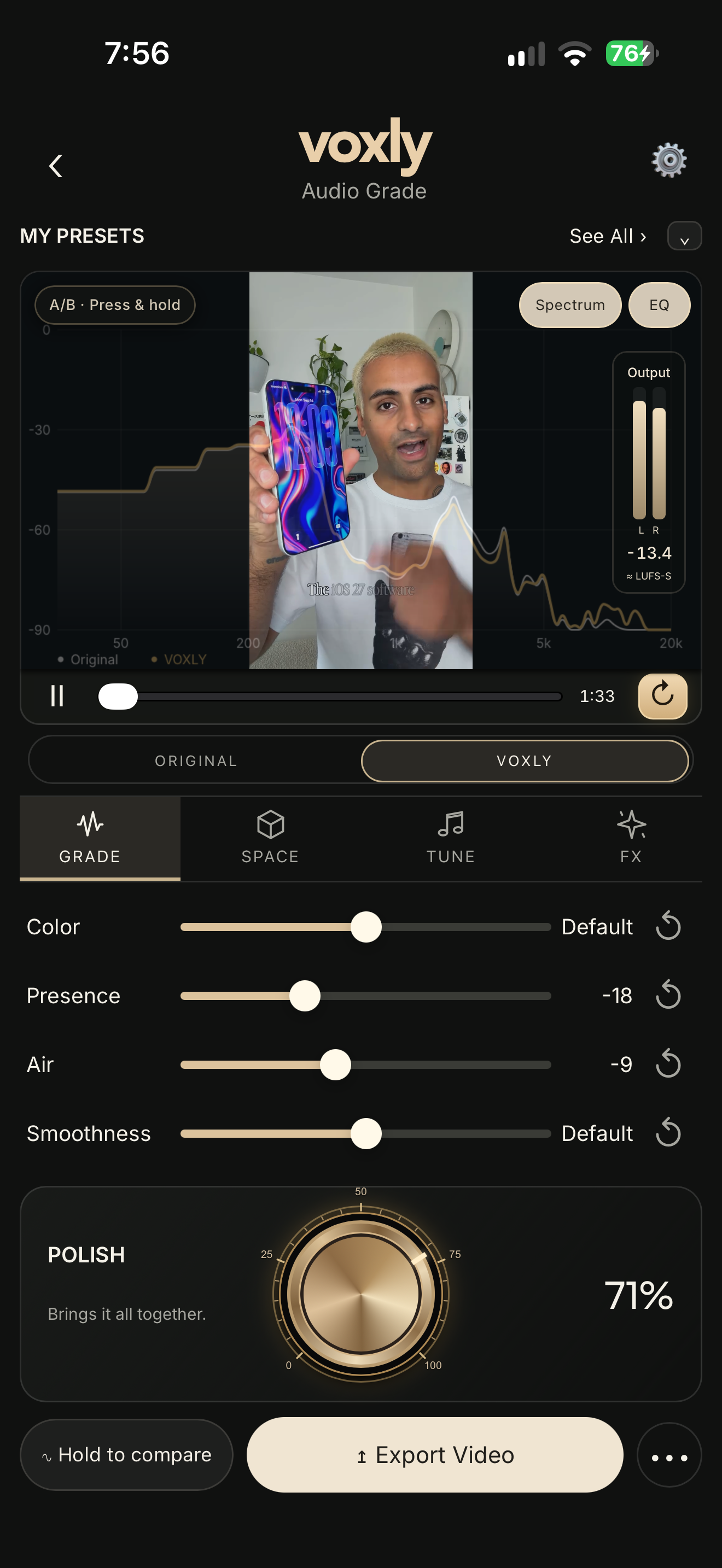
Hold to compare Original
and VOXLY as you create.
Audio Grade shown in an earlier iPhone build. V4 Intelligence comes before this screen.
VOXLY INTELLIGENCE · AGENTIC AUDIO INTELLIGENCE
The audio work, before the creative touch.
VOXLY’s Agentic Audio Intelligence takes care of the audio work. It checks level and dynamics, applies cleanup when you choose speech-only content, and prepares the signature VOXLY finish. You can enjoy the result as it is—or make it your own in Audio Grade.
Make VOXLY your last step before publishing ↗VOXLY Polished.
Clarity. Presence. A finish with impact.
Polish lets you choose how much.
For podcasts, interviews and speech-only recordings, VOXLY reduces background noise before applying its finish. Choose Speech + music or Singing / music to preserve your soundtrack. Results depend on the recording.
AUDIO GRADE · YOUR OPTIONAL FINISHING TOUCH
Start with the prepared VOXLY sound. Shape its character only if you want.
No audio-engineering knowledge required.
Tap a control to discover what it does.
Visual preview only. No audio plays here.
Add harmonic richness and character. Find a texture that complements the recording and still feels like you.
Always your voice.
Just more considered.
A CLOSER LISTEN
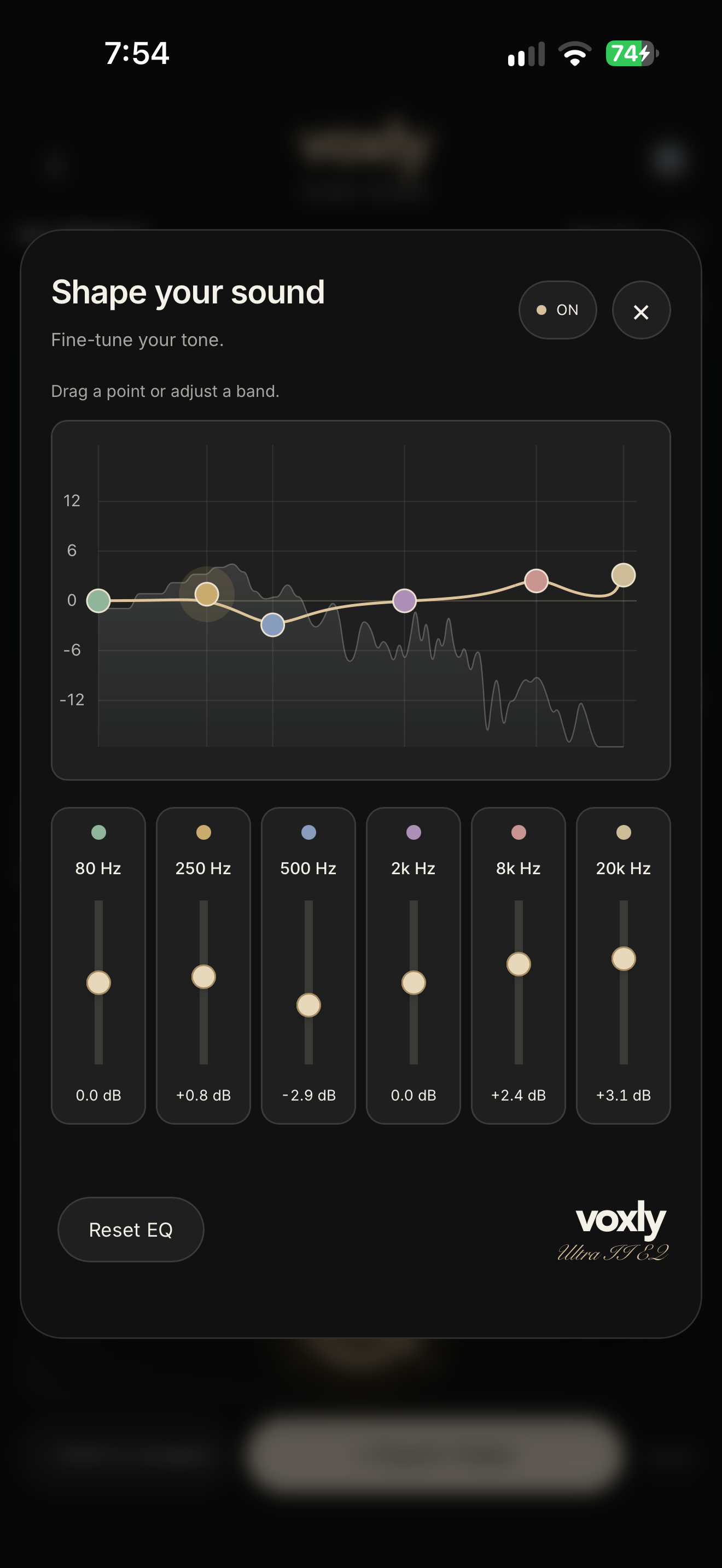
Want a closer touch? Shape the tone with six EQ bands. Add depth with Space, or explore FX. These are your creative choices—not homework.
ORIGINAL ↔ VOXLY
Hear what changed before you export. Hold for Original, release for VOXLY. Same content. Your decision.
MY PRESETS
Save your favorite Grade settings. Bring your creative signature to the next video.
YOUR NEW LAST STEP BEFORE PUBLISHING.
Bring in your video or audio. Tell VOXLY what’s in it.
VOXLY Intelligence checks your audio and creates the polished finish for you.
Hear Original / VOXLY. Customize the taste—or leave it as it is.
Save your finished content. It’s ready for your next post.
YOUR NEXT CREATIVE HABIT
Be first to hear when VOXLY launches on iPhone.
Your next creative habit starts here.
iPhone launch in preparation. Android timing is not announced.
Join the list for updates. Downloads are not available yet.